
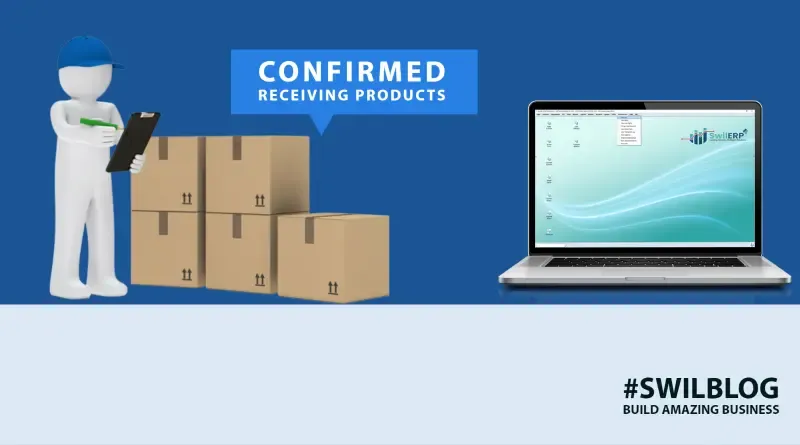
In any business, if we want that a good relationship should be established between the vendor and the shopkeeper, then it becomes necessary that there should be transparency in both.
It means that no such situation should arise due to which there is a dispute between the vendor and the shopkeeper regarding any order and its transactions.
For this, it is necessary that there is some proof of transaction between the two to prove that the order has been properly delivered. It helps businesses with managing inventory also.
This document is called the Purchase Challan, which is created by the buyer (Shopkeeper) to the vendor of each stock order.
Purchase Challan is a formal document that is created to avoid the following situations-
- Mismatch in stock purchase and sales
- Mismatch in the product received and payment
- Confusion /dispute between vendor/supplier and business owner
- Insufficient level of inventory
- Slow inventory updating
Article Content-
- Let's understand in real-time when Purchase Challan is needed or apply
- Benefits of Purchase Challan
- Let’s know how to create a purchase challan in SwilERP
- Wrapping Up
Let's understand in real-time when Purchase Challan is needed or apply
As a shopkeeper, you buy items from different vendors/suppliers to maintain your inventory on a daily basis. For this, you place an order with them, and when you receive that order, you give a document proof to your vendor.
The issued document mainly mentions the items' list, cost, and quantity, which tells what you have purchased from the vendors/suppliers.
Thus, this document gives you accurate information about the order/items received from the supplier and helps update your inventory.
This documented proof is called Purchase Challan.
Benefits of Purchase Challan
- Proof of delivery
- Used when items are sent on an approval basis
- Items supplied in multiple shipments
- Accuracy in the product received and payment
- Ensure no dispute between vendor/supplier and business owner
- Get rid of out-of-stock scenario
Let's know how to create a purchase challan in SwilERP
1. Go to Purchase -> Purchase Challan

2. On the Home tab, Enter the Vendor name from the below-given list or create it manually.
3. Add a Reference Number and add more details as per your requirements.
4. Select the Product or create a new product from the product master.
5. Select the Batch number.
6. Add Quantity of the product.
7. Click Save.

This way, you will handle Purchase Challan in your pharmacy business and get multiple benefits in your business.
Wrapping Up
To know more about the feature, you need to book your demo and get real-time visualization of the feature.
More from the blog
 Distribution & Supply ChainGSTR-2B Reconciliation for Distributors: How to Protect Your ITC Before You File GSTR-3B
How distributors reconcile purchases with GSTR-2B before filing GSTR-3B, fix ITC mismatches, and keep books their CA can trust. India, 2026.
Read article Distribution & Supply ChainGoods Inward Done Right: Matching Every Purchase Order to the GRN in a Distribution Business
Booked one thing, received another? See how PO-to-GRN matching catches shortages, wrong rates and near-expiry stock at goods inward, in one core.
Read article Distribution & Supply ChainSecondary Sales Reporting for Distributors: How to Track Sell-Through Your Principals Can Trust
See real sell-through without a bolt-on DMS. How Indian distributors capture salesman and B2B orders and report secondary sales from one operational core.
Read article PharmacyManaging Expiry Returns in Pharma Distribution: How to Recover Value from Near-Expiry Stock
How pharma distributors handle near-expiry stock, saleable vs non-saleable returns, breakage claims and expiry credit notes without losing money or ITC.
Read article Distribution & Supply ChainMoving from Tally to a Distribution ERP: When You've Outgrown the Books
The honest signs a distributor has outgrown Tally, what a distribution ERP adds, and how to migrate in phases without stopping billing.
Read article Distribution & Supply ChainTablet-Based Picking in the Warehouse: How Device Setup Drives Real-Time Fulfilment Performance
Tablet picking lifts accuracy and live stock visibility, but only if the picker hardware fits the job. Device minimums, zone flows, and fixed-station picking wi…
Read article
- Distribution & Supply ChainGSTR-2B Reconciliation for Distributors: How to Protect Your ITC Before You File GSTR-3B
How distributors reconcile purchases with GSTR-2B before filing GSTR-3B, fix ITC mismatches, and keep books their CA can trust. India, 2026.
Read article - Distribution & Supply ChainGoods Inward Done Right: Matching Every Purchase Order to the GRN in a Distribution Business
Booked one thing, received another? See how PO-to-GRN matching catches shortages, wrong rates and near-expiry stock at goods inward, in one core.
Read article - Distribution & Supply ChainSecondary Sales Reporting for Distributors: How to Track Sell-Through Your Principals Can Trust
See real sell-through without a bolt-on DMS. How Indian distributors capture salesman and B2B orders and report secondary sales from one operational core.
Read article - PharmacyManaging Expiry Returns in Pharma Distribution: How to Recover Value from Near-Expiry Stock
How pharma distributors handle near-expiry stock, saleable vs non-saleable returns, breakage claims and expiry credit notes without losing money or ITC.
Read article - Distribution & Supply ChainMoving from Tally to a Distribution ERP: When You've Outgrown the Books
The honest signs a distributor has outgrown Tally, what a distribution ERP adds, and how to migrate in phases without stopping billing.
Read article - Distribution & Supply ChainTablet-Based Picking in the Warehouse: How Device Setup Drives Real-Time Fulfilment Performance
Tablet picking lifts accuracy and live stock visibility, but only if the picker hardware fits the job. Device minimums, zone flows, and fixed-station picking wi…
Read article