
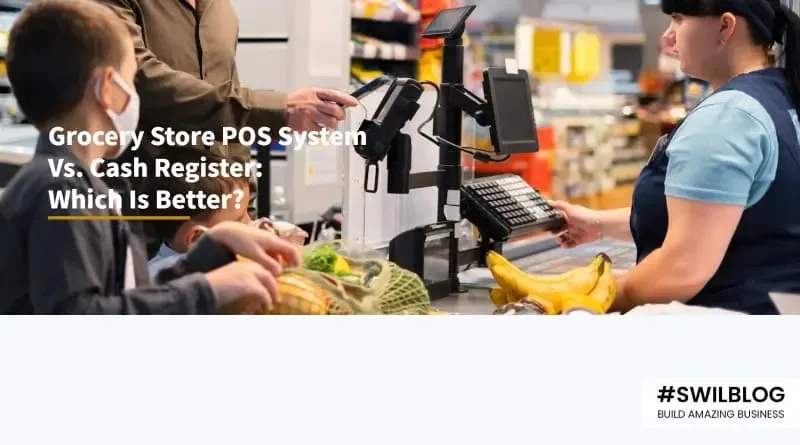
Introduction
Most people are aware that choosing the right checkouts involves several benefits. Today's business owners must not only decide between conventional cash registers and digital point-of-sale (POS) systems. But also struggle through complex terminology and installations that demand add-ons to provide complete transaction capacity.
In order to find the ideal fit for your small business, this article describes some common phrases, defines the research process, and breaks down the various types of checkout choices available for brick-and-mortar shops.
Article Content-
- What is a Cash register?
- What is a Point-of-sale (POS) system?
- Comparing POS systems with Traditional Cash registers
- What should you consider before selecting a POS or Cash register option?
- Conclusion
What is a Cash register?
A cash register is a portable machine that includes an adder, a cash drawer, and a printer for receipts. The majority of cash registers can accept card payments by connecting to credit card machines and barcode scanners.
Depending on the expenses, cash registers have different features, but the most allow you to figure out taxes, tips, and discounts. They also enable you to
- Process refunds,
- Monitor inventory,
- Generate daily sales records, and
- Communicate with external hardware.
A register system might be sufficient for your business if all you need to do is print receipts, process payments, and count sales volume.
What is a Point-of-sale (POS) system?
Your customers make their purchases through a POS system, which is also referred to as a POS cash register. It is made up of hardware and software that enables you to
- Carry out payments,
- Conduct sales activity, and
- Collect and maintain customer data.
Inventory management, sales reporting, and a loyalty program are just a few of the functions that POS systems may integrate to help you operate your business effectively.
A standard POS system that is permanently placed in a specific checkout area is often what is meant when a retailer refers to a POS system. One major terminal with an integrated computer could be present at the main checkout counter. Retailers occasionally install POS systems in several checkout lines. In some industries, such as restaurants, the POS system can be accessed and used by multiple employees in an area designated for order placement.
Comparing POS systems with Traditional Cash registers:
Which system suits you best? You need to consider your needs and your budget to respond to that question. Analyze the detailed comparison below and consider the features your cash register or POS system should offer.
Electronic Cash register
Point-of-Sale Systems
Cost-effective, one-time expense
Simple to use
basic functions
standard reporting
lack of software updates
Monthly charge
Customer relationship management
Marketing
Detailed sales records
expands alongside your business
All of the initial cost goes into an electronic cash register. You can have a cash register as soon as you buy the necessary hardware and run the system. Basic reporting allows you to keep a close eye on your top sellers while eliminating the need to worry about software upgrades or monthly costs.
Do you think you need more? You should use a POS system for the grocery store. A POS system will enable you to maintain close contact with your customers, keep careful track of your sales, and expedite your sales procedure, putting the convenience back into retail stores. It will also keep track of your inventory so that you never place an unnecessary order.
Now that you are aware of the distinctions between a cash register and a grocery store point-of-sale system, it is time to calculate how much each system might cost you.
What should you consider before selecting a POS or Cash register option?
Once you've set a budget and decided on the common type of counter option you desire, comparing the features of at least three different models from three reputable manufacturers is advised. The features on which you should focus are as follows:
1. Future expenses
Are you thinking about adding portable tablets to your company, creating another location, or adding a checkout area? Even if this isn't currently in progress, it's always a good idea to immediately determine the cost of adding more devices to your inventory. Additionally, find out how much any additional barcode scanners, credit card scanners, or other external equipment will cost.
2. Interface
The interface is important for both tablet POS systems and cash registers with a keypad. If possible, test using any checkout device you're thinking about. Request a demo if that isn't feasible. Take into account the interface's ease of use, customizable options, the availability of the security and administrative capabilities you require, and, most importantly, how simple it will be for staff to understand and use. A confusing system can lead to
- Employee misconduct,
- Wasted time, and
- Unnecessarily high levels of dissatisfaction.
3. Physical layout
Measure the precise space you'll have for your checkout counter layout unless your space is boundless. Consider where you will place the desktop computer as well as where you will keep scanners, external printers, keyboards, cash boxes, and any other equipment you intend to use. As you review the POS and register models, make note of the specification size.
4. Reporting and exporting
How a POS reports and exports data should be carefully considered before purchasing one. For instance, do you want to fetch a specific report regarding employee behavior or export inventory data to a third-party system? Before purchasing any POS software, make sure you clearly understand the reporting and exporting features.
5. Integrations
You can completely omit this step if you choose a basic cash register and aren't concerned with integrations, but if you intend to use your checkout system following other software or to integrate it with your online business, be sure the product you choose is suitable.
Conclusion
Cheap cash registers come with simple systems by default. They are a completely adequate POS system for grocery stores, provided that your customer flow allows you enough time to manually enter prices. You may set up several users on the majority of affordable cash registers, and each user has access to a refund and void option in case of errors.
A cash register with a barcode scanner built in is something you can purchase if you're willing to spend a bit more money. With this kind of system, you can complete transactions more quickly, and it can be preferable for smaller supermarkets with a steady stream of customers.

More from the blog
 Distribution & Supply ChainGSTR-2B Reconciliation for Distributors: How to Protect Your ITC Before You File GSTR-3B
How distributors reconcile purchases with GSTR-2B before filing GSTR-3B, fix ITC mismatches, and keep books their CA can trust. India, 2026.
Read article Distribution & Supply ChainGoods Inward Done Right: Matching Every Purchase Order to the GRN in a Distribution Business
Booked one thing, received another? See how PO-to-GRN matching catches shortages, wrong rates and near-expiry stock at goods inward, in one core.
Read article Distribution & Supply ChainSecondary Sales Reporting for Distributors: How to Track Sell-Through Your Principals Can Trust
See real sell-through without a bolt-on DMS. How Indian distributors capture salesman and B2B orders and report secondary sales from one operational core.
Read article PharmacyManaging Expiry Returns in Pharma Distribution: How to Recover Value from Near-Expiry Stock
How pharma distributors handle near-expiry stock, saleable vs non-saleable returns, breakage claims and expiry credit notes without losing money or ITC.
Read article Distribution & Supply ChainMoving from Tally to a Distribution ERP: When You've Outgrown the Books
The honest signs a distributor has outgrown Tally, what a distribution ERP adds, and how to migrate in phases without stopping billing.
Read article Distribution & Supply ChainTablet-Based Picking in the Warehouse: How Device Setup Drives Real-Time Fulfilment Performance
Tablet picking lifts accuracy and live stock visibility, but only if the picker hardware fits the job. Device minimums, zone flows, and fixed-station picking wi…
Read article
- Distribution & Supply ChainGSTR-2B Reconciliation for Distributors: How to Protect Your ITC Before You File GSTR-3B
How distributors reconcile purchases with GSTR-2B before filing GSTR-3B, fix ITC mismatches, and keep books their CA can trust. India, 2026.
Read article - Distribution & Supply ChainGoods Inward Done Right: Matching Every Purchase Order to the GRN in a Distribution Business
Booked one thing, received another? See how PO-to-GRN matching catches shortages, wrong rates and near-expiry stock at goods inward, in one core.
Read article - Distribution & Supply ChainSecondary Sales Reporting for Distributors: How to Track Sell-Through Your Principals Can Trust
See real sell-through without a bolt-on DMS. How Indian distributors capture salesman and B2B orders and report secondary sales from one operational core.
Read article - PharmacyManaging Expiry Returns in Pharma Distribution: How to Recover Value from Near-Expiry Stock
How pharma distributors handle near-expiry stock, saleable vs non-saleable returns, breakage claims and expiry credit notes without losing money or ITC.
Read article - Distribution & Supply ChainMoving from Tally to a Distribution ERP: When You've Outgrown the Books
The honest signs a distributor has outgrown Tally, what a distribution ERP adds, and how to migrate in phases without stopping billing.
Read article - Distribution & Supply ChainTablet-Based Picking in the Warehouse: How Device Setup Drives Real-Time Fulfilment Performance
Tablet picking lifts accuracy and live stock visibility, but only if the picker hardware fits the job. Device minimums, zone flows, and fixed-station picking wi…
Read article