
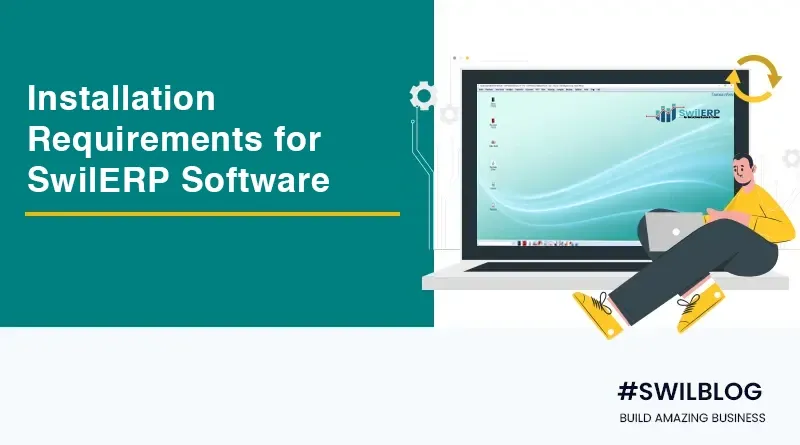
As a retail/wholesale software service provider, it becomes an essential duty for developing companies to give their customers visibility to the entire software and its usage. But it is more important for the business owner to query the software more prominently to get the best results from the software they are going to purchase.
Article Content-
- What is retail software, and why is it vital to choose the best?
- What is a SwilERP, and how does it work for its valued customers?
- Check out which system requirements you need to complete to get started with SwilERP
- FAQs on Installation of SwilERP Software
What is retail software, and why is it vital to choose the best?
In this digital age, retail software provides its users with an exceptional customer experience to remain competitive. It not only gives your business a digital presence but effectively automates many manual operations by managing all store processes. As we know, the market is undergoing considerable changes in the effects of changing consumer behavior. A software solution gives the business a way to face any business challenge. The data given below shows you the software relevance-
- 87% of buyers leave the shop if an item is unavailable and there are no assistants nearby.
- 30% of customers wait more than two minutes to determine if they want to buy an item.
- 78% of buyers will not use a retailer again after three late or incomplete deliveries.
Hence, it becomes necessary for brick-and-mortar stores to choose software that keeps pace with competitors and attracts loyal customers. Therefore, to establish automation, real-time visibility, and superior customer service, you must choose the software wisely with a deep understanding of its features and system requirements.
What is a SwilERP, and how does it work for its valued customers?
If you are going to buy software for your retail, wholesale, or store chain, SwilERP may be your first choice. It is set up with many useful features that can work efficiently on many systems. It is designed as an all-in-one retail solution with POS capability. SwilERP software is a good idea for your retail business. When buying, here are some system requirements that you should consider beforehand.
The idea of creating this blog is to detail the recommended requirements for an effective business network to run SwilERP software.
Check out which system requirements you need to complete to get started with SwilERP
Current SwilERP Version
SwilERP version 3.2.14.03
Minimum Stand Alone Requirements
Standard desktop (or laptop) computer and Monitor
Hard disk space: 250 GB
RAM: 4 GB
Processor: Intel i5 64-bit Processor
Operating system: Windows 7 service pack 1 (all editions) or Windows 8 or Windows 10
For Client-Server
Standard desktop (or laptop) computer and Monitor
Hard disk space: 250GB HDD
RAM: 8 GB (Depends on the number of clients)
Processor: Intel Core i5 3rd Gen processor (i5 3450 3.1 GHz) (Depends on the number of clients)
Microsoft .net
Microsoft .NET Framework 4.7.2 (Offline Installer)
Microsoft Server
Microsoft SQL Server EXPRESS edition 2008 R2 (Free from Microsoft)
Or Microsoft SQL Server 2008 R2
And also supported all newest SQL versions
Supported Operating System Details
Windows Server 2016 (version 1709)
Windows 10 Anniversary Update (version 1607) (x86 and x64)
Windows 10 Creators Update (version 1703) (x86 and x64)
Windows 10 Fall Creators Update (version 1709) (x86 and x64)
Windows Server 2012 R2 (x64)
Windows 8.1 (x86 and x64)
Windows Server 2012 (x64)
Windows Server 2008 R2 Service Pack 1 (x64)
Windows 7 Service Pack 1 (x86 and x64)
Printer
For invoices, statements, report generation, our software is supported by inkjet, laser, thermal, or dot matrix printers.
But for labels and barcode generation, our software is supported by laser or Barcode printers.
Barcode Reader
Any type of barcode scanner will work to scan Item at any point where an item code is required
FAQs on Installation of SwilERP Software
Do you also provide hardware?
No, we do not provide hardware. We guide you with all the hardware required to operate the SwilERP software. SwilERP is an advanced software designed to work with all popular available hardware in the market.
What types of printers and barcode scanners are SwilERP supported with?
SwilERP POS supports all types of popular printers such as laser printers, thermal printers, and inkjet printers of all brands. We built the software by focusing on working with the most commonly used retail hardware. Our support team will guide you in choosing the specific brand printer for you.
Do I have to buy POS hardware from you?
No.
Is SwilERP compatible with my existing hardware?
SwilERP POS will likely work well with your printer, scanner, and the equipment you already have. If it does not, we will suggest the most appropriate.
How much internet connection speed is required to operate SwilERP online software?
SwilERP online version can be accessed from very minimal internet speed. It can easily be operated at a speed of 2 Mbps or higher.
These are some ideas we are sharing with you through this blog. But by joining us, you will get more and more business solutions. Our developers are experts, and our support team is well trained. They will definitely assist you in every way possible. Feel free to contact us or visit our website.
More from the blog
 Distribution & Supply ChainGSTR-2B Reconciliation for Distributors: How to Protect Your ITC Before You File GSTR-3B
How distributors reconcile purchases with GSTR-2B before filing GSTR-3B, fix ITC mismatches, and keep books their CA can trust. India, 2026.
Read article Distribution & Supply ChainGoods Inward Done Right: Matching Every Purchase Order to the GRN in a Distribution Business
Booked one thing, received another? See how PO-to-GRN matching catches shortages, wrong rates and near-expiry stock at goods inward, in one core.
Read article Distribution & Supply ChainSecondary Sales Reporting for Distributors: How to Track Sell-Through Your Principals Can Trust
See real sell-through without a bolt-on DMS. How Indian distributors capture salesman and B2B orders and report secondary sales from one operational core.
Read article PharmacyManaging Expiry Returns in Pharma Distribution: How to Recover Value from Near-Expiry Stock
How pharma distributors handle near-expiry stock, saleable vs non-saleable returns, breakage claims and expiry credit notes without losing money or ITC.
Read article Distribution & Supply ChainMoving from Tally to a Distribution ERP: When You've Outgrown the Books
The honest signs a distributor has outgrown Tally, what a distribution ERP adds, and how to migrate in phases without stopping billing.
Read article Distribution & Supply ChainTablet-Based Picking in the Warehouse: How Device Setup Drives Real-Time Fulfilment Performance
Tablet picking lifts accuracy and live stock visibility, but only if the picker hardware fits the job. Device minimums, zone flows, and fixed-station picking wi…
Read article
- Distribution & Supply ChainGSTR-2B Reconciliation for Distributors: How to Protect Your ITC Before You File GSTR-3B
How distributors reconcile purchases with GSTR-2B before filing GSTR-3B, fix ITC mismatches, and keep books their CA can trust. India, 2026.
Read article - Distribution & Supply ChainGoods Inward Done Right: Matching Every Purchase Order to the GRN in a Distribution Business
Booked one thing, received another? See how PO-to-GRN matching catches shortages, wrong rates and near-expiry stock at goods inward, in one core.
Read article - Distribution & Supply ChainSecondary Sales Reporting for Distributors: How to Track Sell-Through Your Principals Can Trust
See real sell-through without a bolt-on DMS. How Indian distributors capture salesman and B2B orders and report secondary sales from one operational core.
Read article - PharmacyManaging Expiry Returns in Pharma Distribution: How to Recover Value from Near-Expiry Stock
How pharma distributors handle near-expiry stock, saleable vs non-saleable returns, breakage claims and expiry credit notes without losing money or ITC.
Read article - Distribution & Supply ChainMoving from Tally to a Distribution ERP: When You've Outgrown the Books
The honest signs a distributor has outgrown Tally, what a distribution ERP adds, and how to migrate in phases without stopping billing.
Read article - Distribution & Supply ChainTablet-Based Picking in the Warehouse: How Device Setup Drives Real-Time Fulfilment Performance
Tablet picking lifts accuracy and live stock visibility, but only if the picker hardware fits the job. Device minimums, zone flows, and fixed-station picking wi…
Read article