Without one system
Different branches maintain separate item lists, rates, or discounts.
With SwilERP
Central masters with optional store-level pricing — one catalog, controlled overrides, cleaner roll-ups.

Multi-Store & Chain Management
One ERP spine for every branch — live stock, GST-ready billing, and head-office control without spreadsheet gymnastics.
35,000+India & Nepal · Retail & wholesale




















Outcomes
Chains outgrow disconnected billing tools fast. SwilERP keeps outlets on the same item masters, tax logic, and stock picture — so transfers, promotions, and month-end numbers agree with what actually happened at the counter.
Without one system
Different branches maintain separate item lists, rates, or discounts.
With SwilERP
Central masters with optional store-level pricing — one catalog, controlled overrides, cleaner roll-ups.
Without one system
Stock checks via calls and spreadsheets before leadership meetings.
With SwilERP
Operational postings (sales, purchases, transfers) feed the same inventory and reports HO already uses.
Without one system
Inter-store movements happen informally and books drift.
With SwilERP
Documented transfers with approvals and automatic quantity updates at both ends.
Without one system
Everyone can see everything — or nobody trusts the data.
With SwilERP
Role-based access: branch teams stay scoped; leadership gets the full network view.
Why it matters
Centralized dashboard for inventory, pricing, promotions, and staff across every branch — one golden record instead of parallel spreadsheets.
Inter-store transfers with approvals, automatic quantity updates at both ends, and an audit trail finance can follow.
Store-wise sales, stock, and margin views so you spot weak branches early and double down on what works.
Workflow
From modeling branches to consolidated reporting — without losing the thread between operations and finance.
Define branches, godowns, and user roles so each location operates with the right scope — without duplicate setup per store.
Items, parties, GST profiles, and price books live once. Changes propagate so billing and stock stay consistent chain-wide.
Counter POS, purchases, and inter-store transfers post into live quantities. Promotions can be driven from head office when you choose.
Consolidated and branch-wise analytics on the same ledger. Add SwilPOS, SwilMart, or SwilBA when you are ready — they consume the same core data.
Capabilities
Deep enough for a single flagship store — designed to stay coherent when you add the fifth, fifteenth, or fiftieth outlet.
Head office defines outlets, masters, and policies once. Branch teams work inside the same system — no duplicate item lists or mismatched tax setups.
Move stock between branches with documented requests and receipts. Inventory and valuation stay aligned without end-of-month firefighting.
Keep one price book across the chain or override by store for local competition — without breaking reporting roll-ups.
Store managers see their branch; leadership sees the network. Roles reduce leakage and make handovers between shifts predictable.
Chain-wide sales, stock, and profitability with branch comparison — the same operational data your books are built from.
Launch schemes from head office and apply them consistently across outlets during the campaign window — fewer pricing disputes at the counter.
Powered by

The desktop-and-cloud ERP where branch operations, inventory, GST, and books stay one system — scalable from a few outlets to high-volume chains on MSSQL.
Stack
Multi-store in SwilERP is the operational core. When you add channels or analytics, they plug into the same masters and postings — not a second inventory truth.
Branch billing
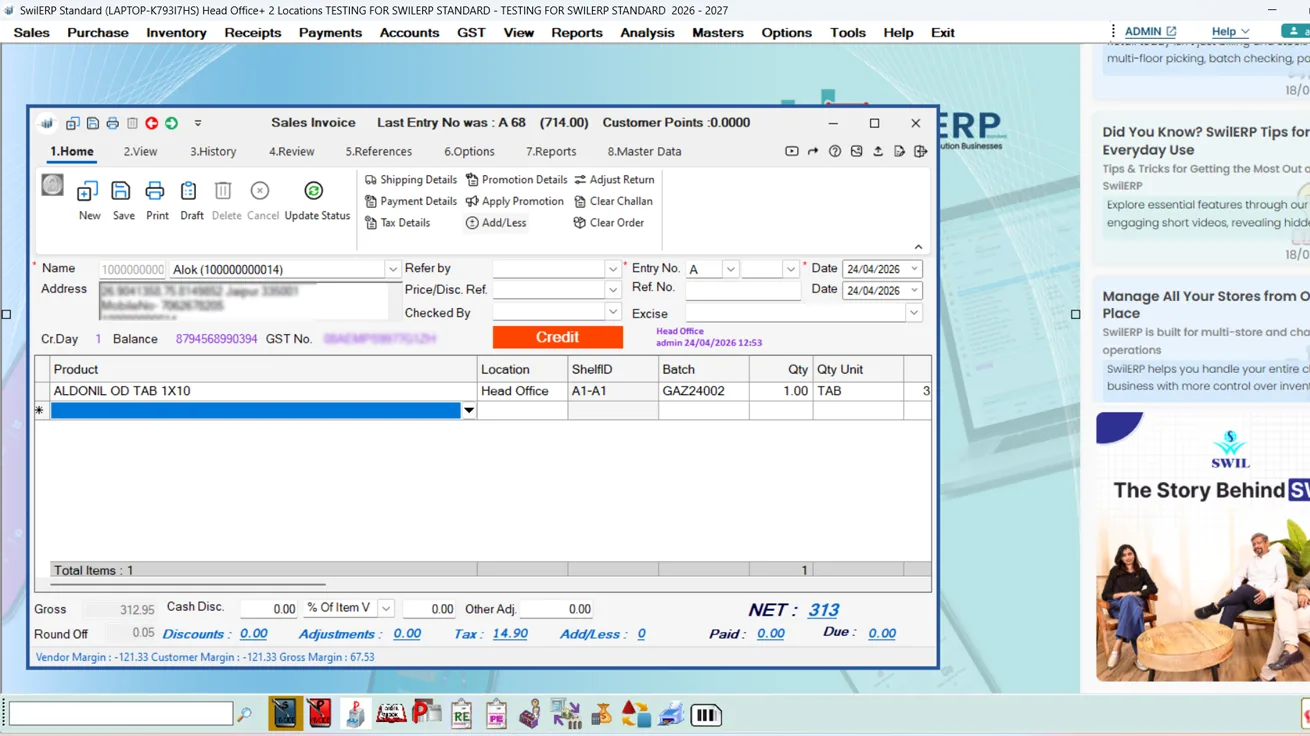
Fast barcode billing and payments at the branch — live stock against the same SwilERP database you run at head office.
Mobile apps
Commerce channel
B2B/B2C storefronts and channel sync — orders and catalog tie back into ERP inventory and pricing you already govern.
Explore SwilMart
Analytics layer
Executive dashboards and drill-down reports on sales, stock, and KPIs — fed by the same transactions branches post daily.
See field & analytics apps
FAQ · Multi-Store Management Software
Practical answers for owners and ops leads evaluating ERP for a growing chain — deployment, access, pricing, and how SwilERP fits with the rest of the SWIL stack.
SwilERP supports stores in a chain. We have customers managing 100+ outlets from a single centralized system.
Yes. SwilERP supports both centralized pricing (same price across all stores) and store-specific pricing for different markets.
Create a transfer request from the source store, approve it at the destination, and SwilERP automatically updates inventory at both locations.
Yes. SwilERP's role-based access control lets you restrict store managers to their own store's data while giving head office complete visibility.
Yes. Define promotions at the chain level and they apply automatically across all stores during the promotion period.
Yes. SwilERP supports both deployment models. Web and mobile clients can connect to the same database as your Windows desktop app, so branches stay in sync whether you host on-premise or in the cloud.
SwilBA reads from the same SwilERP transaction layer, so executive and drill-down views — including store-wise KPIs — stay aligned with what operations posted at the counter.
Layer 3 · Guides
Flagship ERP, solution hubs, mobile apps, and demos—bookmarks that pair with every solution guide.
Core · Hub
Explore GST billing, inventory, and foundational business modules. Use it when you want the complete category view—not only the related guides on this page.
Walk through branches, transfers, and consolidated reporting with a SWIL specialist — no obligation.

Professional services and training available for chain go-lives.

