
One operational source of truth
Automation is only safe when invoices, stock, and books still trace back to the same vouchers. SwilERP stays that anchor while channels attach around it.

Automation & integration
Route orders, stock, invoices, and notifications through the right layer: packaged SwilMart channels, SwilUnify-style transaction exchange, mobile clients, and project-led APIs when you outgrow templates.
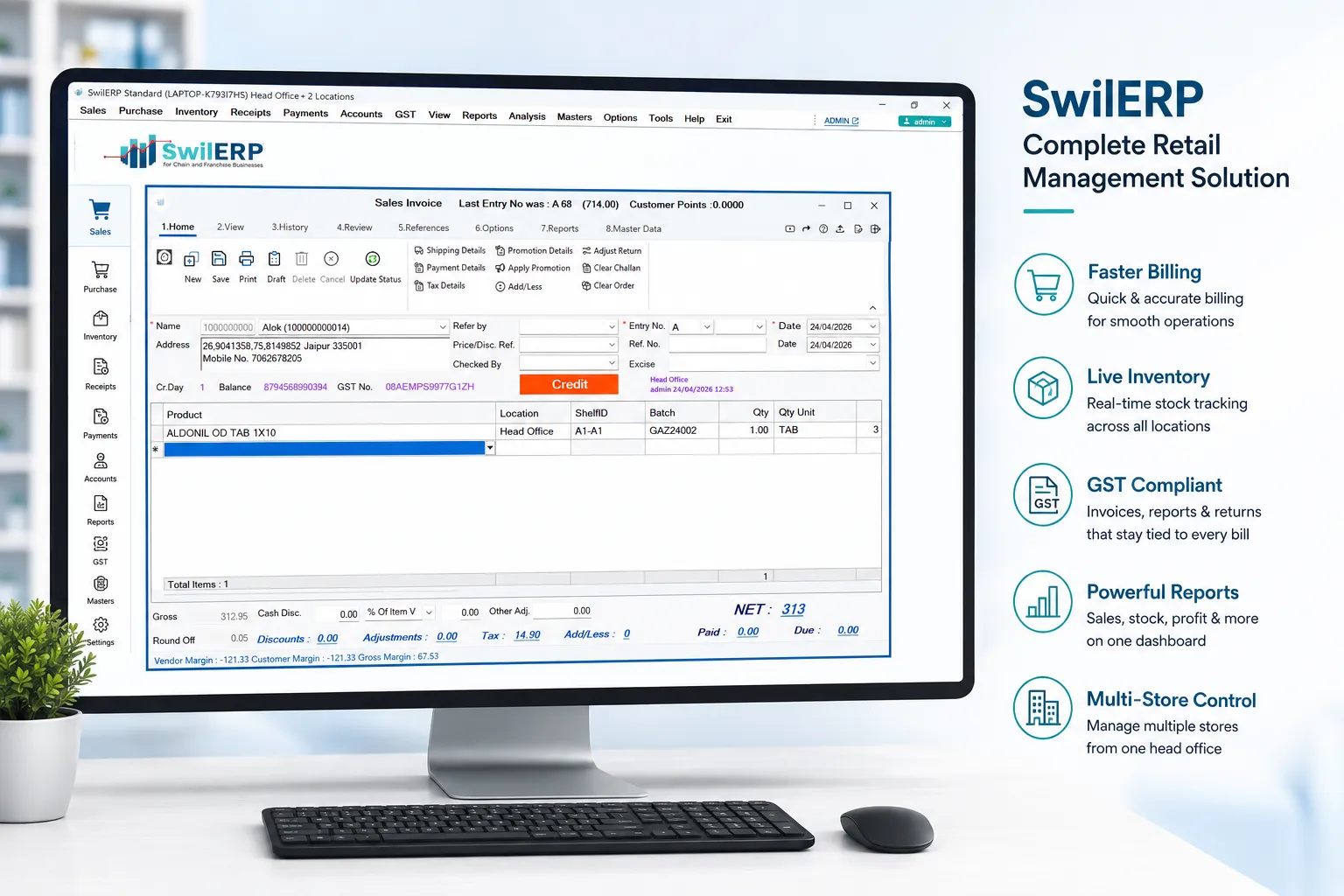
35,000+India & Nepal · Retail & wholesale




















Why it matters
Automation is only safe when invoices, stock, and books still trace back to the same vouchers. SwilERP stays that anchor while channels attach around it.
Structured sync beats export–import marathons. Fewer manual bridges mean fewer month-end surprises for finance and ops.
From distributors to corporate groups, SWIL’s integration story scales with mappings, routing, and optional custom APIs — not one-off hacks per branch.
Workflow
Anchor masters and stock in SwilERP, then turn on the channels and integrations that match how you actually sell and fulfil.
Items, parties, tax, and locations stay in one place. Every channel and integration reads the same codes — fewer “SKU A online, SKU B in ERP” disasters.
Native B2B/B2C ordering, Shopify-style catalog and order sync, and notifications tie online demand to stock and billing without a parallel catalog.
SwilUnify focuses on connected systems, harmonised formats, and scalable routing — so purchase orders, sales orders, and stock updates align across nodes.
Field apps and analytics consume operational data in near real time; corporate projects add bespoke endpoints and schedules without bypassing core controls.
Capabilities
Match each integration to the product layer that owns it — so you do not force ERP screens to behave like a middleware server.
Native storefronts, B2B portals, and Shopify-oriented catalog/order/inventory sync — orders and stock stay tied to SwilERP masters.
Connected systems, mappings, and sync orchestration for orders, invoices, stock, and payments — with a roadmap toward universal B2B infrastructure.
SMS, email, and journey-style touches where SwilMart and related flows need buyers and staff to stay informed without another inbox-only tool.
Cash, card, UPI, and wallets on SwilPOS where integrated — counter collections still post back to the same sales story finance audits.
SwilPOS, SwilBA, SwilSort, and web clients talk to the same backend APIs — field and hub automation without a second inventory universe.
Project-led custom APIs, schedules, flows, forms, and integrations for 3PL, CRM, or specialist stacks — delivered on SwilERP by the corporate solutions team.
Layer 3 · Guides
Commerce
B2B/B2C storefronts, Shopify-style sync, and notifications — built to land demand on the ERP you already run.
Mobile
SwilPOS, SwilBA, SwilSort — counter, analytics, and warehouse execution on the same database as desktop SwilERP.
Compliance
Invoices and returns-friendly flows that stay aligned when you add channels — tax lines trace to the same item master.
Stock
Godown-wise stock and movement discipline so e-commerce and B2B exchange never fight a shadow spreadsheet.
Network
Branches and transfers with roll-up reporting — essential before you automate replenishment across nodes.
Finance
Books fed by operational vouchers — when integrations fire, finance still reconciles against one ledger.
Powered by

The desktop ERP that stays the system of record — web and mobile clients, SwilMart, and integration surfaces consume the same items, parties, tax profiles, and stock your finance team already trusts.
FAQ
How SwilMart, SwilUnify, mobile apps, and customization fit together — and what stays authoritative in SwilERP.
SwilUnify is SWIL’s integration and transaction-exchange layer: connected systems, mappings, and orchestration for moving orders, invoices, stock updates, and payments between SwilERP and other systems — with long-term positioning as broader B2B infrastructure.
No. SwilMart is the commerce and omnichannel layer: storefronts, B2B portals, and integrations such as Shopify-oriented sync. SwilERP remains the operational and financial system of record for items, stock, billing, and accounting.
Yes — that is the design goal. Catalog, orders, and inventory sync are meant to post through defined flows into SwilERP so teams are not maintaining parallel catalogs or re-keying orders.
The corporate customization path covers bespoke APIs, schedules, workflows, and third-party integrations (3PL, CRM, specialist finance tools) implemented as projects on SwilERP — appropriate when standard product scope is not enough.
SwilPOS, SwilBA, and SwilSort are clients against the same SwilERP backend. That means barcode billing, warehouse execution, and executive dashboards consume live operational data instead of offline islands that need manual reconciliation.
Order and customer notifications are part of the broader channel story (including SwilMart-related flows). Exact channels depend on your licensed products and implementation — your SWIL consultant can map templates and providers to your compliance needs.
Flagship ERP, solution hubs, mobile apps, and demos—bookmarks that pair with every solution guide.
Start a free trial or walk the product with our team: connect commerce, partners, and field apps without giving up one ledger of truth.

No credit card required for trial signup · SwilERP, SwilMart, and SwilUnify capabilities vary by edition and deployment
Social proof
Retailers and distributors use SWIL to sell across outlets and online while keeping stock and billing coherent.
View all customer stories